Find yourself needing to test your newly installed NTP server or NTP Services? To do this simply open up Command Prompt and enter the following: (on Windows OS)
w32tm /stripchart /computer:time.google.com /dataonly /samples:5
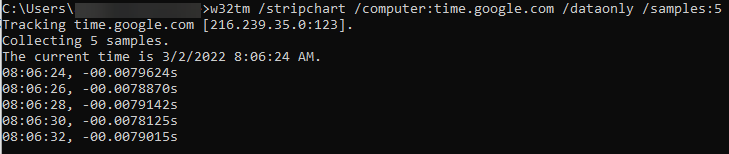
In this particular command “time.google.com” is the NTP server in question. As you can see above your machine will test the server in question and print the time that is sent back to you.
On a Linux System go to terminal and enter the following:
ntpdate -q time.apple.com

In this particular command we’re asking the system to query “time.apple.com” the NTP server in question. As you can see above your machine will test the server in question and print the response info. If your linux box doesn’t support ntpdate -q, you might try ntpq -p “servername/IP” or sntp -t “servername/IP”